

Only the workspace owner can change billing. If you’re not the owner, ask them to make the change.
How to add an add-on
1
Open Billing
In the web app or the desktop app, go to Settings > Billing.
2
Open the Manage menu
Click Manage, next to your plan, then Add Power Dialer or Add AI Receptionist.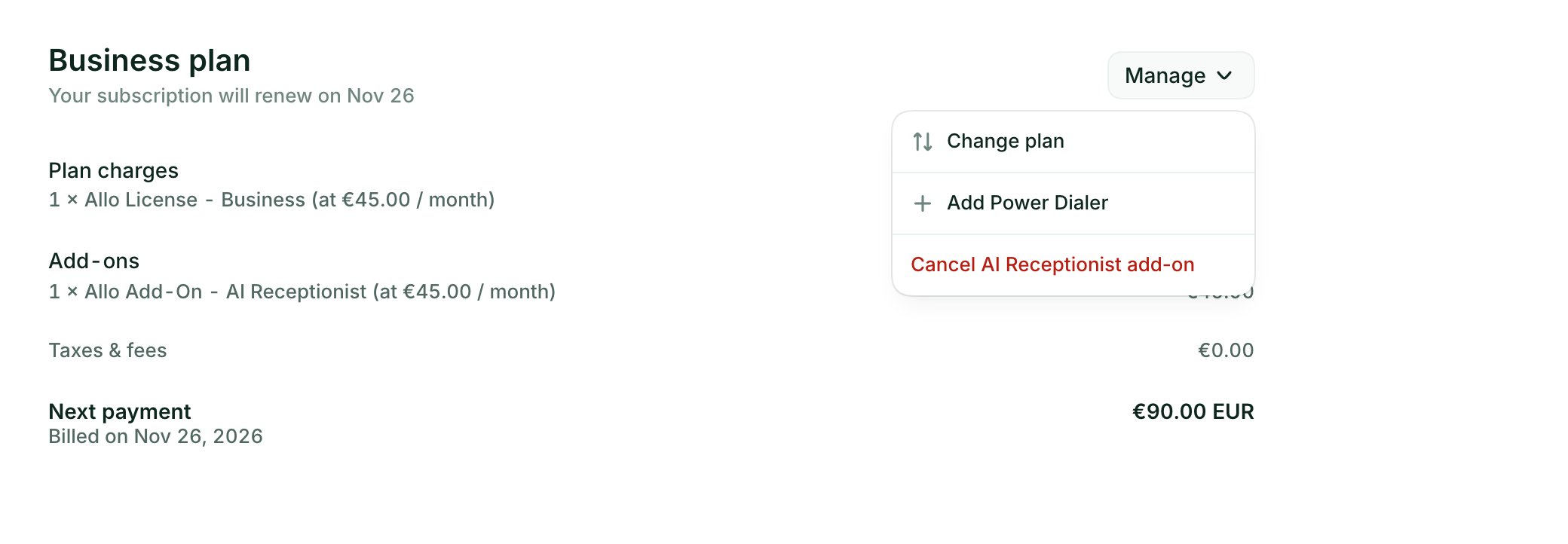
3
Check the price
Allo shows what the add-on does and its price. Click Activate add-on.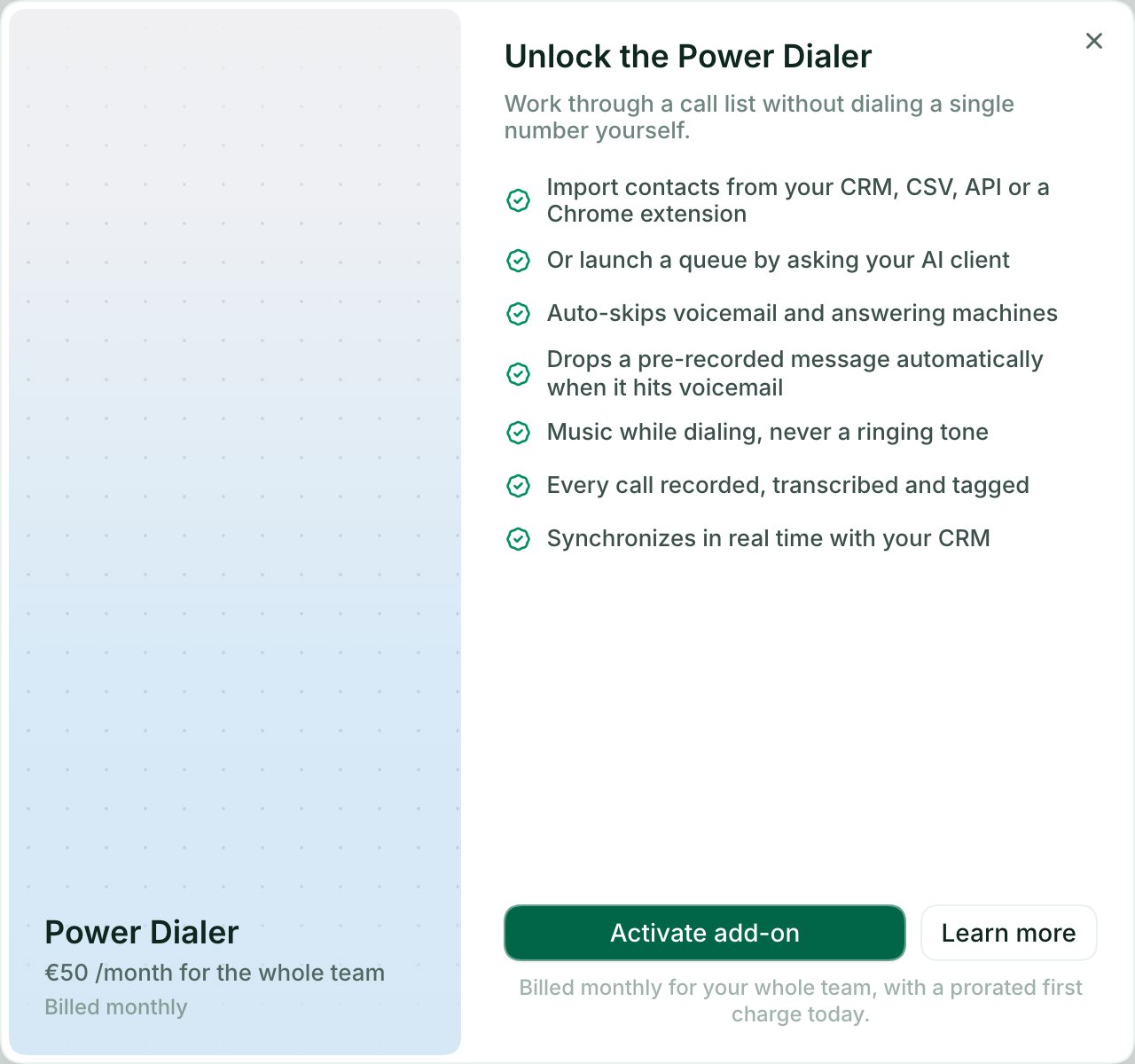
4
Confirm
Allo shows what you pay today and what you pay each month after that. Click Pay & activate.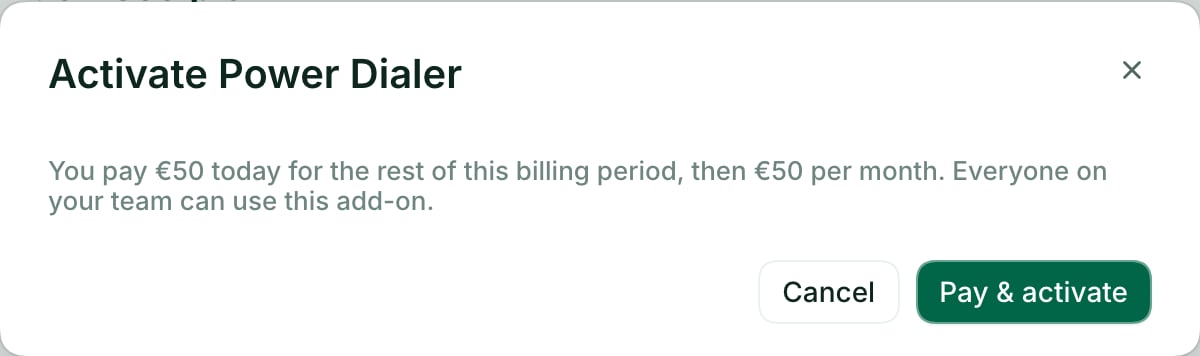
- On a paid plan, the first charge is prorated for the rest of your billing period, then the add-on renews with your plan.
- During your trial, the add-on is free until your trial ends. Cancel it before then if you don’t want to be charged for it.
How to cancel an add-on
1
Open Billing
In the web app or the desktop app, go to Settings > Billing.
2
Open the Manage menu
Click Manage, next to your plan, then Cancel Power Dialer add-on or Cancel AI Receptionist add-on.
3
Confirm
Allo shows when the add-on ends, what it costs and what you keep. Click Remove add-on.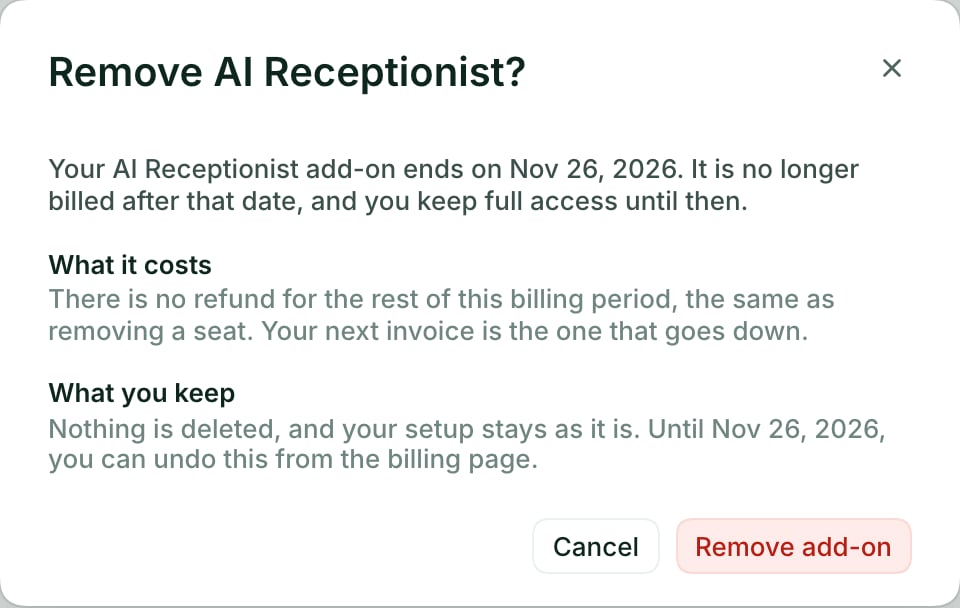
What happens after you cancel
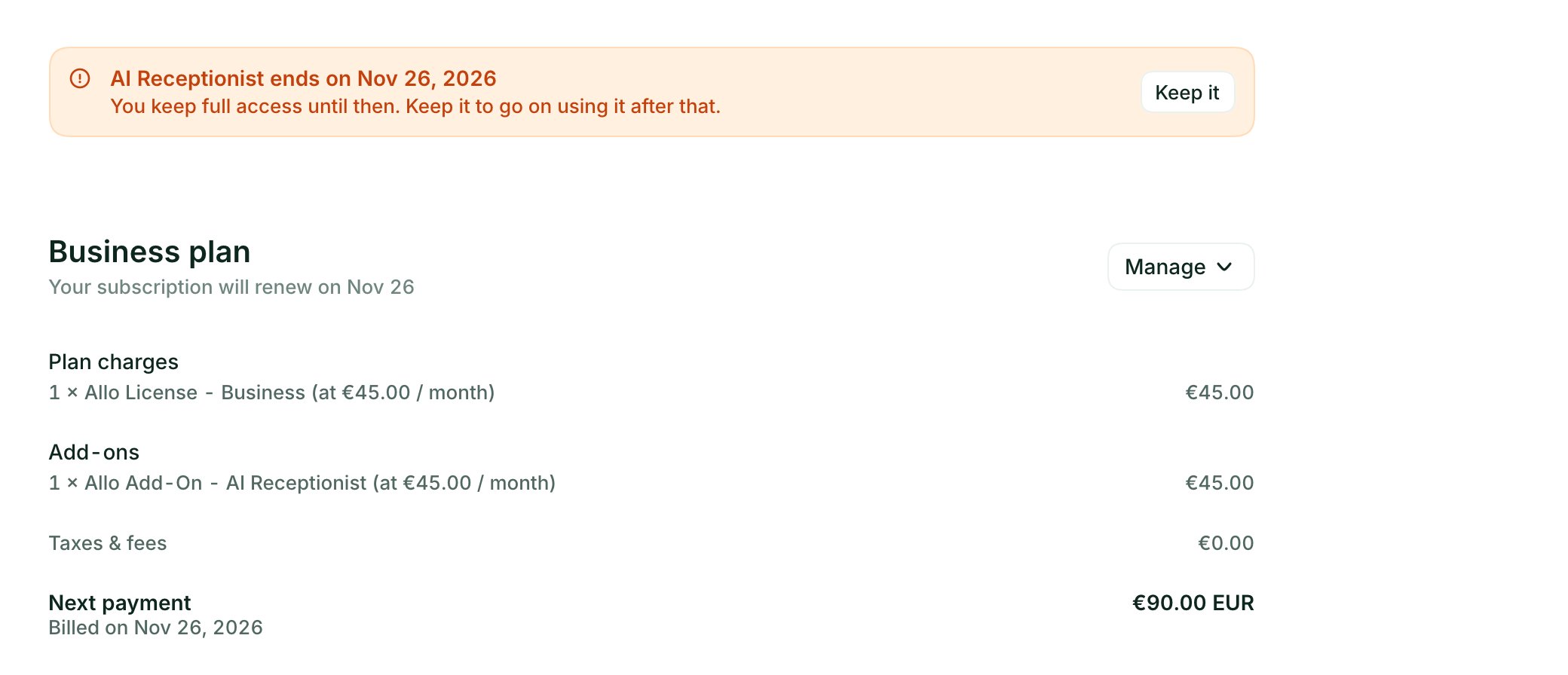
- Nothing changes today. You keep full access until the end of the period you have already paid for. The billing page shows the end date.
- Your next invoice goes down. The add-on isn’t billed after that date. There is no refund for the rest of the current period, the same as when you remove a seat.
- Nothing is deleted. Your setup stays as it is. If you add the add-on back later, it picks up where you left off.
- You can change your mind. Until the end date, click Keep it on the billing page.
During your free trial
If you cancel an add-on during your trial, it ends when the trial ends. Nothing is charged for it, now or after the trial.What stops working
- Power Dialer
- AI Receptionist
Your team can’t run dialing sessions anymore: no queue player, no pre-recorded voicemail drop, no automatic outcome logging. Your queues, their contacts, your voicemail recordings and the outcomes already logged are kept.
When you can’t change it yourself
- Subscribed through the App Store or Google Play: contact support.
- Subscription managed by a partner: contact your partner.
- The HIPAA BAA: contact support to add or remove it.