> ## Documentation Index
> Fetch the complete documentation index at: https://help.withallo.com/llms.txt
> Use this file to discover all available pages before exploring further.

# Set up texting

> The one-time registration your number needs before its first text: 10DLC in the US and Canada, a Sender ID in France, nothing in the UK and Belgium.

Before a number can send its first text, some countries ask for a one-time registration. Which one depends on where your number is, and Allo files the paperwork either way. You answer a few questions.

<Note>
  Sending texts requires the **Business plan**. Every plan receives them, and receiving is always free.
</Note>

## What your number needs

| Your number    | Registration                           | Fee                      | Approval             |
| -------------- | -------------------------------------- | ------------------------ | -------------------- |
| United States  | 10DLC                                  | \$24 once, whole company | 3 to 7 business days |
| Canada         | 10DLC, only to text US numbers         | \$24 once, whole company | 3 to 7 business days |
| France         | Sender ID, only for automated messages | None                     | About 48 hours       |
| United Kingdom | Nothing                                | None                     | None                 |
| Belgium        | Nothing                                | None                     | None                 |

***

## Register

<Tabs>
  <Tab title="US & Canada (10DLC)">
    Carriers require a **10DLC** registration before you can text a US number. Without it, every outbound message is blocked at the network, so start early.

    **Texting only Canadian numbers?** No registration is needed. 10DLC applies the moment you text a US number.

    <iframe src="https://www.youtube.com/embed/G-3eOQ8ygs4" title="How to register for 10DLC and get your US texts delivered on Allo" frameborder="0" className="w-full aspect-video rounded-xl" allow="accelerometer; autoplay; clipboard-write; encrypted-media; gyroscope; picture-in-picture; web-share" allowfullscreen />

    <Steps>
      <Step title="Open Settings > Compliance">
        Go to **Settings > Compliance** in your Allo dashboard.
      </Step>

      <Step title="Register your brand">
        A one-time **\$24** for your entire company. It covers every seat and every number.
      </Step>

      <Step title="Create a Low Volume campaign">
        Once your brand is approved, create a campaign. You can assign up to **50 phone numbers** to a single campaign.
      </Step>
    </Steps>

    Approval takes **3 to 7 business days**. Once it lands, the SMS composer appears in your inbox and automatic replies are unlocked.

    <AccordionGroup>
      <Accordion title="I'm not based in the US. Do I still need to register?">
        Yes. 10DLC is required for **any US number**, wherever your business is.
      </Accordion>

      <Accordion title="I'm porting a number that already has 10DLC. Do I re-register?">
        Yes. 10DLC registrations don't transfer between providers, so you register your brand again with Allo and create a new campaign.
      </Accordion>

      <Accordion title="Only one of my numbers can text">
        You registered as a **Sole Proprietor**, and that carrier tier allows one number per campaign. [Contact support](/en/support/contact) to re-submit as a Private Company, which supports several numbers.
      </Accordion>
    </AccordionGroup>
  </Tab>

  <Tab title="France (Sender ID)">
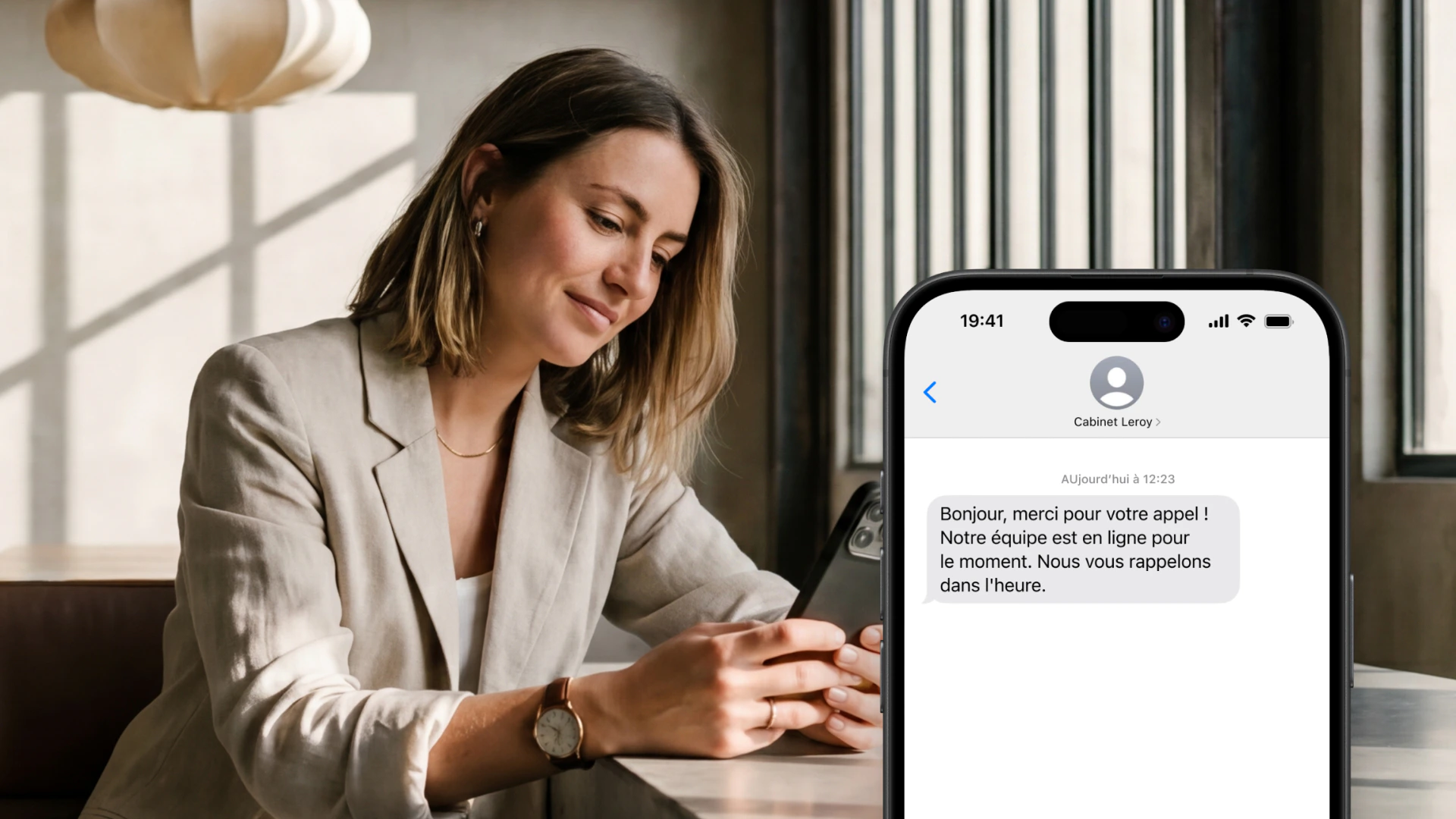
    Texts you type yourself work straight away, with nothing to register. Anything Allo sends on your behalf needs a registered **Sender ID**, which is what French operators require for automated messages. Your company name shows as the sender.

    <iframe src="https://www.youtube.com/embed/hYS3q0M8IEk" title="How to set up an SMS Sender ID on Allo" frameborder="0" className="w-full aspect-video rounded-xl" allow="accelerometer; autoplay; clipboard-write; encrypted-media; gyroscope; picture-in-picture; web-share" allowfullscreen />

    <img src="https://mintcdn.com/themobilefirstcompany/XGlxoAIODPt9a1mI/images/sender-id-self-serve-fr.jpg?fit=max&auto=format&n=XGlxoAIODPt9a1mI&q=85&s=b71691e274af1a22429a4dd5859e2a51" alt="Sender ID registration in Allo" style={{ borderRadius: '12px', width: '100%' }} width="1920" height="1080" data-path="images/sender-id-self-serve-fr.jpg" />

    <Steps>
      <Step title="Open Settings > Compliance">
        Go to **Settings > Compliance** in your Allo dashboard, on desktop or on the web.
      </Step>

      <Step title="Submit your brand name">
        Enter your company name, 3 to 11 characters, letters and digits only, plus a sample message. For example "MOBILEFIRST", with "Hi, thanks for your call. We'll get back to you shortly."
      </Step>

      <Step title="Wait for approval">
        Approval usually takes **48 hours**. You are notified when your Sender ID goes live.
      </Step>
    </Steps>

    There is no setup fee. Once approved, automatic replies after a missed call are unlocked.

    <AccordionGroup>
      <Accordion title="What names are not allowed?">
        Generic terms like "Alert", "Bank" or "Delivery", and names impersonating public institutions or major brands, are blocked by AF2M. Your name has to represent your actual business.
      </Accordion>

      <Accordion title="Can recipients reply?">
        No. A Sender ID is one-way. For two-way conversations you need a short code, covered in [SMS in France](/en/phone-numbers/sms-france).
      </Accordion>

      <Accordion title="Do I need it to text by hand?">
        No. Typing a text yourself works without any registration. The Sender ID covers what Allo sends for you: automatic replies, workflows, the API.
      </Accordion>
    </AccordionGroup>
  </Tab>

  <Tab title="UK & Belgium">
    Nothing to register. Texting works as soon as your number is live, at the same rate whether you type the message or Allo sends it.

    MMS is not available on these numbers.
  </Tab>
</Tabs>

***

## Next

<CardGroup cols={2}>
  <Card title="SMS rates" icon="https://mintcdn.com/themobilefirstcompany/yN5XCm7zDDPr0-yn/media/allo-icons/credit-card-fill.svg?fit=max&auto=format&n=yN5XCm7zDDPr0-yn&q=85&s=fbe96271dadf3e304bccd2df6073282c" href="/en/billing/sms-rates" width="24" height="24" data-path="media/allo-icons/credit-card-fill.svg">
    What a text costs, and how segments are counted
  </Card>

  <Card title="SMS troubleshooting" icon="https://mintcdn.com/themobilefirstcompany/RgYoir1kmfhXIZ06/media/allo-icons/Shield-warning-outline.svg?fit=max&auto=format&n=RgYoir1kmfhXIZ06&q=85&s=d75aff6f82a1ada69c2c7605a9078292" href="/en/phone-numbers/sms-troubleshooting" width="24" height="24" data-path="media/allo-icons/Shield-warning-outline.svg">
    Texts that won't send, arrive, or deliver
  </Card>

  <Card title="SMS in France" icon="https://mintcdn.com/themobilefirstcompany/RgYoir1kmfhXIZ06/media/allo-icons/Globe.svg?fit=max&auto=format&n=RgYoir1kmfhXIZ06&q=85&s=45870a5ce07e9da6c85818cfc67ea2d3" href="/en/phone-numbers/sms-france" width="24" height="24" data-path="media/allo-icons/Globe.svg">
    ARCEP, CNIL and AF2M rules, and short codes
  </Card>

  <Card title="SMS & messaging" icon="https://mintcdn.com/themobilefirstcompany/yN5XCm7zDDPr0-yn/media/allo-icons/chat-bubble.svg?fit=max&auto=format&n=yN5XCm7zDDPr0-yn&q=85&s=d1817ba8f8b3a0d440cf67199eb899cd" href="/en/phone-numbers/sms-overview" width="24" height="24" data-path="media/allo-icons/chat-bubble.svg">
    What texting does on Allo
  </Card>
</CardGroup>